Warde / Access requests
One request form
for every application.
Staff ask for access in your ServiceNow portal, the way they order a laptop. Your approval policy picks the approvers, your identity system or a ServiceNow task makes the change, and the request reads done only when the change is confirmed.
Ask, approve, deliver, confirm.
01
Ask once
Search by name and put several applications, and several people, in one request.
02
Approve in order
Manager, owner, security: whatever chain your policy sets. Each approver sees why it came to them.
03
Deliver
Your identity system makes the change. Where none can, a task goes to the team that owns the application.
04
Confirm
The request reads done only when the change is confirmed. Removals take the same path.
The form only offers what you can be given.
Nobody asks for the wrong thing, asks twice, or waits a week to find out who approves.
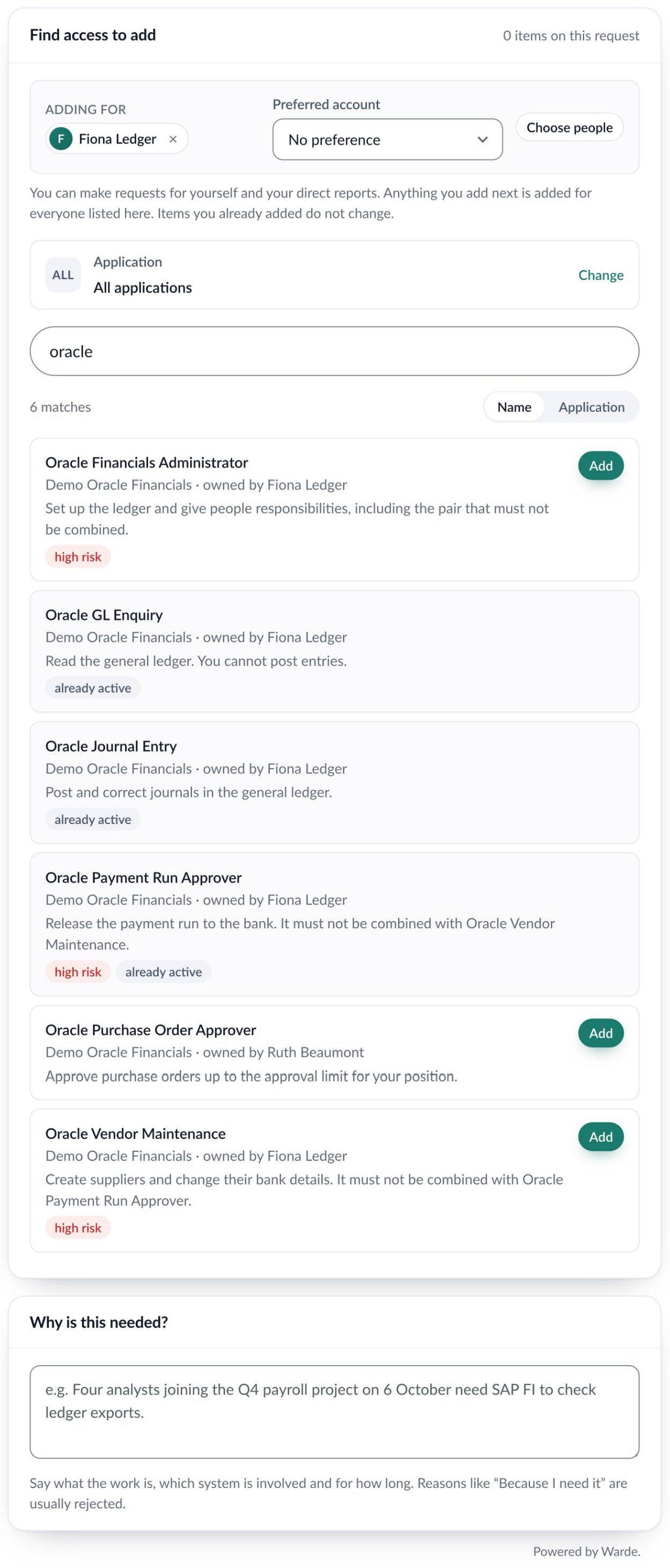
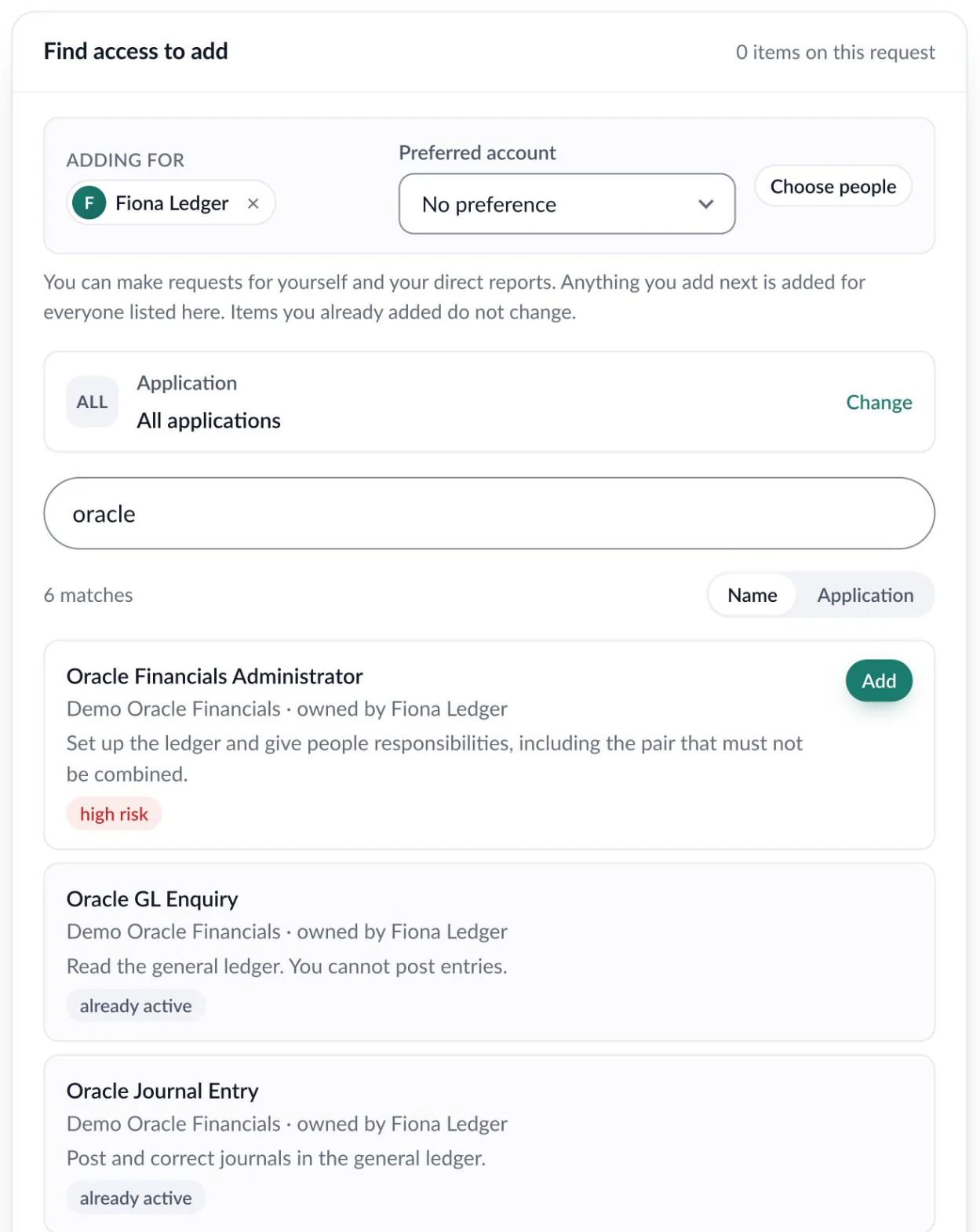
Narrowed to where you work
Each application can ask its own questions first, so the list that follows fits your job. Access you already hold is marked and cannot be asked for again. Terms of use are accepted on the form.
Every item names its approver
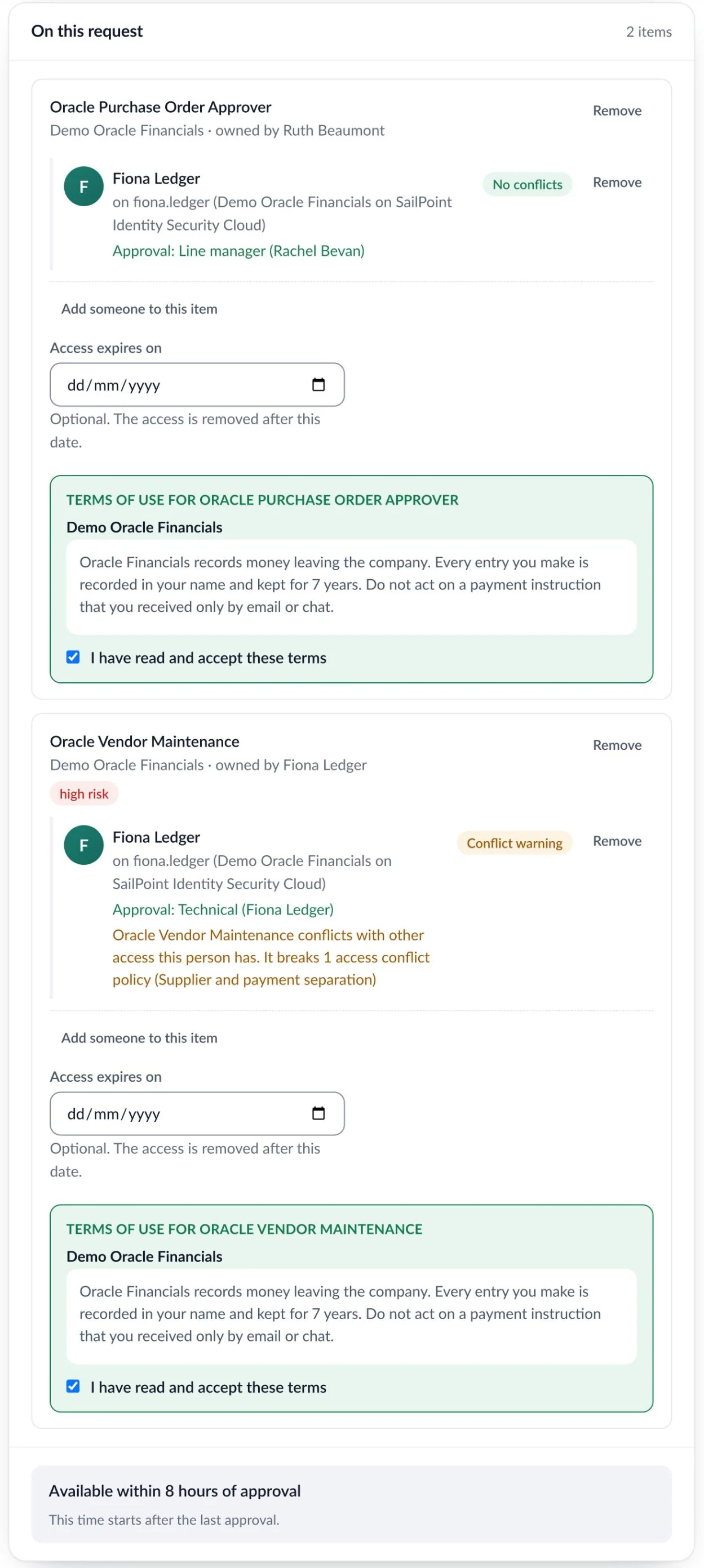
Before anything is sent, each line shows the account it lands on, who will approve it, and any request for it already in progress. Privileged access asks for an end date within the limit you set. Time-bound access
One page for what you hold
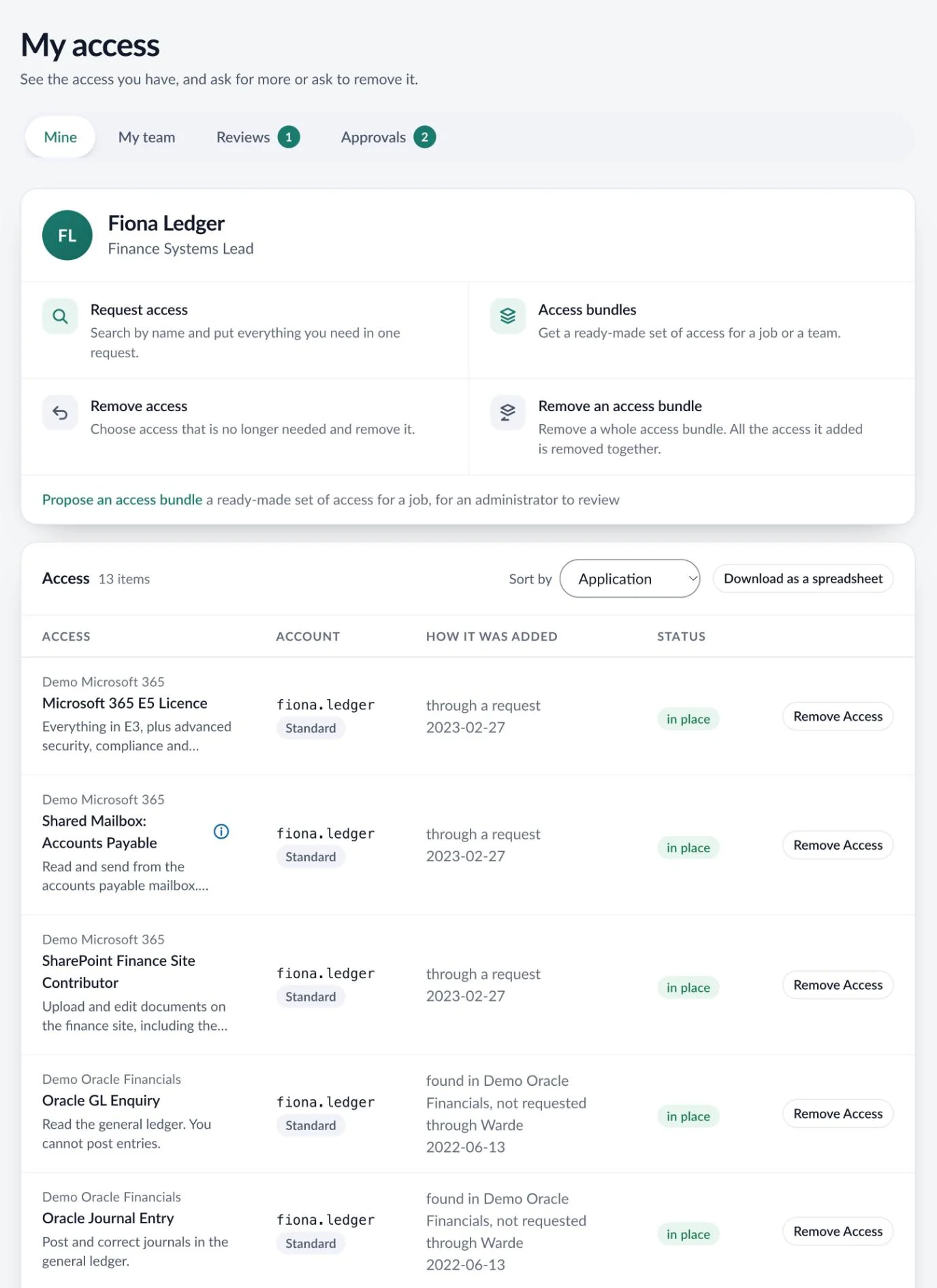
My Access shows what you hold, what your team holds and the reviews waiting on you. Every row has a Remove button, and a removal is approved and delivered like a grant.
An approval policy for every kind of access.
Your IAM team writes each policy in a four-step wizard. No developer, no update set.
Different access, different chain
Standard access goes to the manager. High-risk access adds the owner and security. Licensed software adds the licence owner.
Approvers from your own data
The manager, the entitlement’s owner, a group, a named person or a field on the CMDB record. A stage can run only for admin accounts or above a risk rating.
Never quietly skipped
If a stage’s approver is missing, the request goes to one you name. Where your identity system checks separation of duties, its verdict shows on the form.
Approvers see what they need before they decide.
A note on every approval
A comment headed Warde: before you approve carries the owner’s notice to approvers, any separation of duties finding, and access the person loses once this is granted.
A queue on My Access
Requests waiting on an approver are listed on My Access, marked high risk, removal or conflict, with what the application’s owner wrote for approvers. Requests delegated to them name who delegated.
A new starter in one request.
Owners sign off an access bundle once. After that, the line manager is the only person asked.
An accounts payable starter, item by item
6 requests · 11 approvals
The same starter, with a bundle
1 request · 1 approval
High-risk and licensed items still ask their own approvers. How access bundles work
The awkward cases, handled on the form.
- More than one account
- Where a person has several accounts in one system, the requester picks the account for each item.
- Access that needs other access
- The form adds what the access depends on, and lists any access the new item replaces.
- Separation of duties
- Set conflicts to warn or block. On warn, approvers decide with the conflict in front of them. On block, that person comes off the item with the reason.
- Nobody to approve
- When no policy applies and no standby can act, the request stops before approval, closes with the reason, and the stop is written to the audit history.
The requester can see where it is.
The form can say how long the access takes, counted from the last approval, such as two business days for work done by hand. On My Access, each request moves from waiting to be approved, to being added, to in place.
Warde comments on the request when it is submitted and when it closes. The last comment says what was done, and what could not be done and why.
Delivered by your identity system, or by a task.
Questions about access requests
How is this different from a catalog item for each application?
One form covers every application, so there is nothing to build per application. It knows what each person holds, what they may ask for and who will approve it.
Can someone request access for another person?
Yes. You decide who people can request for: themselves, their team, their organisation or anyone.
Do approvers need anything new?
No. They approve in ServiceNow, from the screens and emails they already use.
Does it need a developer to run?
No. Three wizards cover the first setup, each new application, and every change to who approves what.
Who approves a removal?
You choose: the person who holds the access, their line manager, or nobody. The form cannot remove access that came with a bundle, with the job, or from your identity system’s own rules.
More of Warde
Bring the access request you hate most.
Forty-five minutes on a live instance, with no slides. We’ll show you what replaces it.
Warde is priced per user. Book a walkthrough or get in touch for a quote.